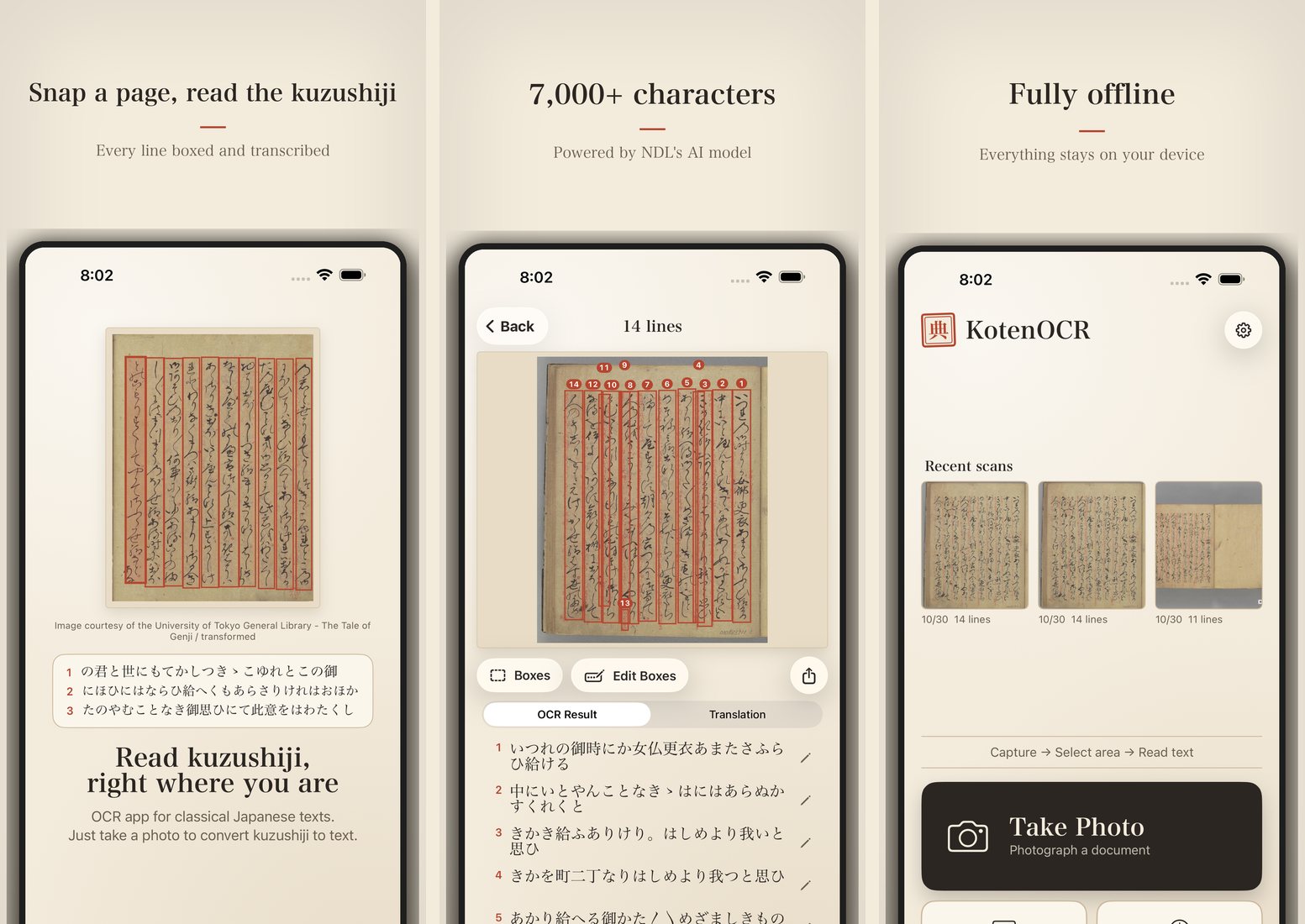
Take a photo of a page and KotenOCR draws a box around each line and reads it. Choose between two readers: Classical, for kuzushiji in pre-modern books and manuscripts, and Modern, for printed and handwritten documents from the Meiji era on. Your photos never leave your device.
Download
| iPhone and iPad | App Store (free, iOS 16 or later) |
| Android | Testers wanted (Android 8 or later; Google Play release in preparation) |
The latest version is 2.1.1 (3 November 2026). See the changelog for what changed.
Videos
The standard tutorial (about 6 minutes) is followed by the full version (about 25 minutes, 12 chapters). Narrated, with captions.
In 30 seconds: short video
What it does
- Capture: take a photo, choose one from Photos, or use Scan Document to find the page edges
- Straighten: Auto-correct finds the page corners and straightens a page shot at an angle; small tilts are corrected automatically before reading
- Two readers: choose Classical (kuzushiji) or Modern (printed and handwritten, Meiji era on) before reading
- Edit boxes: move, split, merge or add line boxes, then re-read only the lines you changed
- Confidence: raise the slider to hide the least certain lines (display only; the results are kept)
- Translation: translate classical text into modern Japanese, with the on-device AI on iOS 26 or later, or a cloud API you choose (OpenAI, OpenRouter, etc.)
- History and export: results stay on your device; export as text, TXT or PDF
- Try a sample: three bundled pages (Taketori Monogatari, The Tale of Genji, and an NDL document) to try without taking a photo
How it reads
KotenOCR runs two OCR systems published by the National Diet Library (NDL) on the iPhone itself.
| Reader | Models | Best for |
|---|---|---|
| Classical | NDL Koten OCR-Lite (line detection RTMDet, recognition PARSeq) | Kuzushiji in woodblock prints and manuscripts up to the Edo period; 7,000+ characters |
| Modern | NDLOCR-Lite (line detection DEIMv2, three PARSeq models chosen by line length) | Printed and handwritten documents from the Meiji era on |
The models run on ONNX Runtime. No internet connection is needed for reading.
What is sent, and what is not
Images are never sent off the device, by any feature. Only when you choose a cloud API for translation is the recognized text sent to the provider you chose. See the privacy policy for details.
Links
- Changelog
- Source code
- Privacy policy
- Bug reports and requests (or use Send Feedback in the app’s Settings)
Developer
Satoru Nakamura (The University of Tokyo)